
February 02, 2026 / by Fortify Labs / In connected vehicles, vehicles, privacy, Ford Ranger, data analysis, forensics
Behind the Dashboard: Addendum
What a Factory Reset Really Deletes
Welcome to an addendum post related to our blog series:
- Behind the Dashboard: Where the Data Lives – Inside the SYNC® 3 Filesystem – Ford Ranger
In this addendum, we explore what a factory reset of the Ranger’s SYNC® 3 head unit truly achieves. And, as you’ll see, the reset wipes far less than you might expect.
Summary
Our analysis revealed that performing a factory reset in the Ford Ranger’s SYNC® 3’s infotainment system resulted in a narrow slice of user facing data being removed, while leaving a large amount of log information completely intact including:
- Core system logs,
- Historical GPS traces,
- WiFi records,
- Bluetooth connection histories,
- Phone Numbers, and some
- Driving related data.
Certainly enough to provide a detailed timeline of the previous owner’s movements, behaviour, and device usage long after the vehicle changed hands.
Although some files were cleared or removed entirely (such as phonebooks, call logs, and stored WiFi credentials), most operational and diagnostic logs remained, including some containing:
- MAC addresses,
- Device names,
- Timestamps, and
- Thousands of GPS points.
In some cases, older data was only removed by powering on the head unit which created new logs which overwrote old ones. The reset itself did not purge these artefacts.
Importantly, even though the phonebook and call log databases were deleted, fragments of phone related information (call log records including names, phone numbers and call timestamps) were still found within error logs. While this was not as comprehensive as the full datasets available prior to the reset, it demonstrates that personal data continued to exist.
These findings demonstrate that although the SYNC® 3’s factory reset option does clean up what the user can see from the system’s user interface, it does little to address the substantial amount of sensitive information retained beneath the surface.
For vehicle owners, and importantly for rented or shared vehicles, this raises important privacy questions and considerations.
Please continue reading below for details on how we came to this conclusion.
What are your thoughts? Contact us to share any insights or questions you might have.
Background
For background information see our previous blog posts:
- Part 2 — What We Found Inside SYNC® 3
- Part 3A — Technical Deep Dive into SYNC® 3 Data - Bluetooth
- Part 3B — Deep Dive on where GPS & WiFi and Driving data is stored
Table Of Contents
- Summary
- Background
- Table Of Contents
- Our Procedure
- Verification - User Interface
- Verification - Data Analysis
- Residual Artefacts Beyond the Scope of Analysis
- Conclusion
- Fortify Labs Github Repository
- Disclaimer
Our Procedure
As we navigated around the Ranger’s SYNC® 3 user interface, we came across the option to perform a “Factory Reset” in the Settings menu.
Given how much we were able to determine about the previous owner in our work outlined in Parts 2 and 3, we were curious to see what data would remain after we performed one.
With that in mind, we powered on the head unit and selected the “Factory Reset” function:


Verification - User Interface
We navigated through the menu system to verify whether the previous user’s information had been deleted. At first glance, it appeared that most of the user facing data was gone. No previously paired phones were visible, and the navigation system no longer displayed any stored destinations.
However, one detail caught our attention. The map still showed the last known vehicle location.
The fact that the head unit still continued to “remember” it’s last GPS location indicated to us that underlying data remained and was not fully erased. This was the only logical explanation on why it was still able to display it’s last position at the vehicle wrecker’s yard.
Verification - Data Analysis
As before, we extracted the SYNC® 3 memory and analysed the data using the same methodology described in Part 3A and Part 3B.
Note: For a detailed overview of our methodology, see the earlier posts in the series.
In addition to repeating our previous analysis steps, we also performed keyword searches across the entire filesystem for specific selectors such as:
- Names of previous owners / users,
- Phone numbers,
- phonebook name entries,
- Bluetooth device MAC addresses,
- WiFi Network Names,
- WiFi Network Passwords.
Details of the data that remained is provided below.
Bluetooth Data - Before / After Factory Reset
From our previous analysis, we revisited the files and directories that had previously contained Bluetooth related data. The table below summarizes each file, including its location, a brief description of its contents, and whether it remained after the factory reset:
| Filename | Directory Path | File Type | Personal Information Found in Initial Analysis | User Data Still Exists? (Y/N) |
|---|---|---|---|---|
BEZEL_DIAGNOSTICS_LOG.txt |
./ |
Text File | SYNC® 3 System MAC Address | Yes |
osapi_01.log* |
./fordlogs/BTLogs |
Log / Text File | Connected Device BT MAC Addresses | Yes |
devlog_xx_xx_xx_xx_xx_xx.txt |
./BT |
SQLite 3 Database | Bluetooth Pairing and Profile Information for Individual Phones | No |
btpersist |
./BT |
SQLite 3 Database | Contains information on connected phones such as: - Device Friendly Name - Phone Number - BT MAC Access - Make, Model, SW Version - Device order in btpbk- etc. |
No |
btpbk |
./BT |
SQLite 3 Database | Phone Data: - Call Logs - Phonebook Entries |
No |
device.sqlite |
./Nuance/NuanceVCAdb |
SQLite 3 Database | Contains: - Connected Device Friendly Names - ID Associations of Connected devices |
No |
PhoneXXXX.sqlite |
./Nuance/NuanceVCAdb |
SQLite 3 Database | - XXXX refers to the ID found in the device.sqlite file.- Contains phonebook entries for that device |
No |
NET_BT_Service.log |
./fordlogs/BTLogs |
Log / Text File | Bluetooth Connection Events - Newer File | Yes |
NET_BT_Service.log.1 |
./fordlogs/BTLogs |
Log / Text File | Bluetooth Connection Events - Older File | Yes |
Bluetooth - Files Deleted by Factory Reset
After performing the factory reset, the following files were no longer present in the SYNC® 3 system’s memory:
devlog_xx_xx_xx_xx_xx_xx.txt: Text files containing information related to each of the connected Bluetooth devices.btpbk: Call log and phonebook database.PhoneXXXX.sqlite: Device specific phonebook database files.
The remaining files persisted in some capacity and we evaluate their contents in the following sections.
“BEZEL_DIAGNOSTICS_LOG.txt” File
Unsurprisingly, the BEZEL_DIAGNOSTICS_LOG.txt remained intact.
This file contained system information such as the head unit’s Bluetooth MAC address. As this relates to device identity rather than user data, its presence would be expected.
“osapi_01.log*” Files
These files also remained after the factory reset.
Because these logs contained MAC addresses of previously connected devices, we re-examined them for those identifiers. Our review confirmed that multiple entries referencing the previous user’s iPhones were still present.
Using the previously identified MAC addresses as search terms, we found evidence that multiple entries of the original MAC addresses from the previous user’s iPhones were still present.
The following data was exactly as it was in our previous analysis:

“btpersist” Database File
The btpersist database remained after the factory reset.
However, the PairedDevInfo table contained no device information, indicating that this file was cleared by the reset operation.
Notably, the other Bluetooth related databases in the ./fordlogs/BTLogs directory (btpbk and PhoneXXXX.sqlite), which stored call logs and phonebook entries, were absent after the reset.
“device.sqlite” Database File
The device.sqlite file in the Nuance directory also remained. However, all data relating to previously connected devices had been removed.
This behaviour is consistent with what we saw in the btpersist file.
“NET_BT_Service.log” Files
Most concerningly, these files remained completely intact following the reset.
As documented in Part 3A, the NET_BT_Service.log files contained detailed Bluetooth connection history, including:
- Device names (and as a result the names of the users).
- Timestamps of each connection.
- Approximately 4 months of connection history (April-July 2025) .
After the reset, all of this data was still present. This allowed us to perform the same analysis as before and identify the vehicle’s primary user and likely owner:

Other Files Containing References
After performing keyword searches across the entire filesystem, we found remnants of Bluetooth selectors, such as:
- MAC addresses,
- Device names (user’s names).
These appeared in more than 150 files, including:
- Rotating diagnostic logs (pas_debug.log*),
- Error logs,
- Various process‑related logs.
While we did not analyse these files, their presence demonstrates that large portions of the previous logs remain untouched by a factory reset.
The content in these log files may rotate over time and therefore it is possible that these entries would eventually be overwritten with new log entries. However, the key finding is that the reset procedure does not remove them.
GPS Data - Before / After Factory Reset
As with the Bluetooth related files above, we looked for previously found files related to GPS information:
| Filename | Directory Path | File Type | Personal Information Found in Initial Analysis | User Data Still Exists? (Y/N) |
|---|---|---|---|---|
unifiedsearch.log |
./NAV |
Log / Text File | Historical record of every system startup including: - Timestamps - GPS location |
Yes |
pas_debug.log* |
./fordlogs |
Log / Text File | Detailed Operational Information including - GPS track info - Detected WiFi networks - Emergency Crash Event Detection Events - etc. |
Yes - Some data overwritten by booting the head unit but not deleted by the reset. |
wifiRemeberedAPList_MY17WIFI_MID |
/storage/NPS/UserData/AllUserAppData/__ImmNotfn |
Text File | Connected WiFi details such as: - Network Names - BSSIDs - Passwords - Security information |
No |
GPS - Files Deleted by Factory Reset
None of the GPS related files we originally analysed were removed by performing the factory reset.
“unifiedsearch.log” File
We performed the same analysis as outlined in Part 3B and found that our analysis produced the exact same results before and after the factory reset, indicating that the file remained completely intact.
Example of the AI-analysis_unifiedsearch-log.log output File:

Example of the GPS_Location_Analysis_Report_2025.txt output File:

Note: GPS positions have been redacted or randomized in the screenshots above.
“pas_debug.log*” Files (GPS)
We copied all pas_debug.log* files into a folder to repeat the same analysis. We observed the following:
| Item | Original Analysis | After Reset |
|---|---|---|
| Trip Tracks | 66 | 67 |
| Valid GPS Points | 44,709 | 42,650 |
| Date Range | 27 July 2025 to 10 November 2025 | 27 July 2025 to 28 January 2026 |
Comparing that to our original results we can see:
- The same starting date, but one additional day of GPS track information:
- 28 January 2026: The day we booted the head unit to perform the factory reset.
- Fewer valid GPS points:
- Some GPS points from 27 July 2025 were missing (but many points from this date remained).
- New GPS points were added for 28 January 2026.
- One additional trip:
- Trip added for 28 January 2026: The day we booted the head unit to perform the factory reset.
From this we can determine:
- Most the data still remained.
- Some of the older data was overwritten. Specifically there were fewer points from 27 July 2025 after the reset.
- The only original data that appears to have been overwritten was on 27 July 2025. Although we did not analyse each track in detail, all other GPS tracks appeared to contain the same amount of data.
Considering the vast majority of data still existed, the missing data was almost certainly due to the head unit being powered on and recording new information during our testing, rather than resulting from the factory reset operation. This supports our original hypothesis that these are rotating log files.
WiFi Data - Before / After Factory Reset
Next we looked for previously found files we associated to WiFi information:
| Filename | Directory Path | File Type | Personal Information Found in Initial Analysis | User Data Still Exists? (Y/N) |
|---|---|---|---|---|
pas_debug.log* |
./fordlogs |
Log / Text File | Detailed Operational Information including - GPS track info - Detected WiFi networks - Emergency Crash Event Detection Events - etc. |
Yes - Some data overwritten by booting the head unit but not deleted by the reset. |
wifiRemeberedAPList_MY17WIFI_MID |
/storage/NPS/UserData/AllUserAppData/__ImmNotfn |
Text File | Connected WiFi details such as: - Network Names - BSSIDs - Passwords - Security information |
No |
WiFi - Files Deleted by Factory Reset
After performing the factory reset, the following files were no longer present in the SYNC® 3 system’s memory:
wifiRemeberedAPList_MY17WIFI_MID: Text files containing information of the connected WiFi access points, including passwords.
“pas_debug.log*” Files (WiFi)
As with the GPS data we analysed above, the pas_debug.log* remained largely intact. We repeated our analysis for WiFi information and we were able to reproduce the same results as before when associating the WiFi access points to the previously found Home and Work locations.
Work location results:

Home location results:

Driving Data - Before / After Factory Reset
| Filename | Directory Path | File Type | Personal Information Found in Initial Analysis | User Data Still Exists? (Y/N) |
|---|---|---|---|---|
pas_debug.log* |
./fordlogs |
Log / Text File | Detailed Operational Information including - GPS track info - Detected WiFi networks - Emergency Crash Event Detection Events - etc. |
Yes - Some data overwritten by booting the head unit but not deleted by the reset. |
00000.zip.(txt) |
./ccl |
Minified JSON | Telemetry Data such as: - Fuel Levels - Gear Changes - Speed - Lock/unlock events - Door open/close events |
No |
00001.zip.(txt) |
./ccl |
Minified JSON | Telemetry Data such as: - Fuel Levels - Gear Changes - Speed - Lock/unlock events - Door open/close events |
No |
Driving Data - Files Deleted by Factory Reset
After performing the factory reset, the following files were no longer present in the SYNC® 3 system’s memory:
00000.zip.(txt)and00001.zip.(txt): Telemetry Data.
“pas_debug.log*” Files (Driving Data)
It was confirmed that the “Emergency crash event received” event remained in the pas_debug.log* files as did the majority of the GPS and WiFi information.
This event would likely be eventually overwritten if the head unit was in continuous use.
Selector Searches
Through our previous analysis, we only skimmed the surface of the files stored within the infotainment system. There were many additional files that we did not analyse. Most of the work we performed in this blog post was focused on those previously analysed files.
To determine if other files contained remnants of the previous owner, and the other user’s devices, we performed keyword searches using specific identifiers. Those are results are summarized below:
| Keyword Used | Number of References Found | Number of Files Found |
|---|---|---|
| Phone Number - Main User/Owner | 287 | 31 |
| Phone Number - Child 1 | 337 | 16 |
| Phone Number - Child 2 | 134 | 13 |
| Name - Main User/Owner | 4254 | 152 |
| Name - Partner | 62 | 20 |
| Name - Child 1 | 1288 | 59 |
| Name - Child 2 | 1240 | 452 |
| Names found in Phonebooks | Varied | Varied |
| WiFi Network Names | Varied | Varied |
| WiFi Network Passwords - From previously connected networks | 0 | 0 |
We include these results to demonstrate that a significant amount of personal information remains in these files. Although we did not analyse these artefacts in depth, we provide additional details on call log remnants below:
Call Log Entries
When searching for the various names found in the phonebooks extracted prior to the factory reset, we came across a variety of entries that were found in potential error logs. These logs contained references to call log records such as:

These entries were found in the following file:
./fordlogs/BTLogs/DAlog01_4U5T-xxxxxx-DAE_MAP_CONNECTIONFailure2_HCILogging_202505xx_xxxxxx_xxx.log
Note: Names, timestamps, and phone numbers have been randomized in the photo above.
We did not conduct any further analysis beyond this point. However, these findings demonstrate that although the system removed much of the phonebook and call log information, some remnants still persisted within the log files.
Residual Artefacts Beyond the Scope of Analysis
During our examination, we encountered a substantial amount of additional files that were not analysed in depth. This means the SYNC® 3 system likely contains far more information that could provide further insights on the previous users.
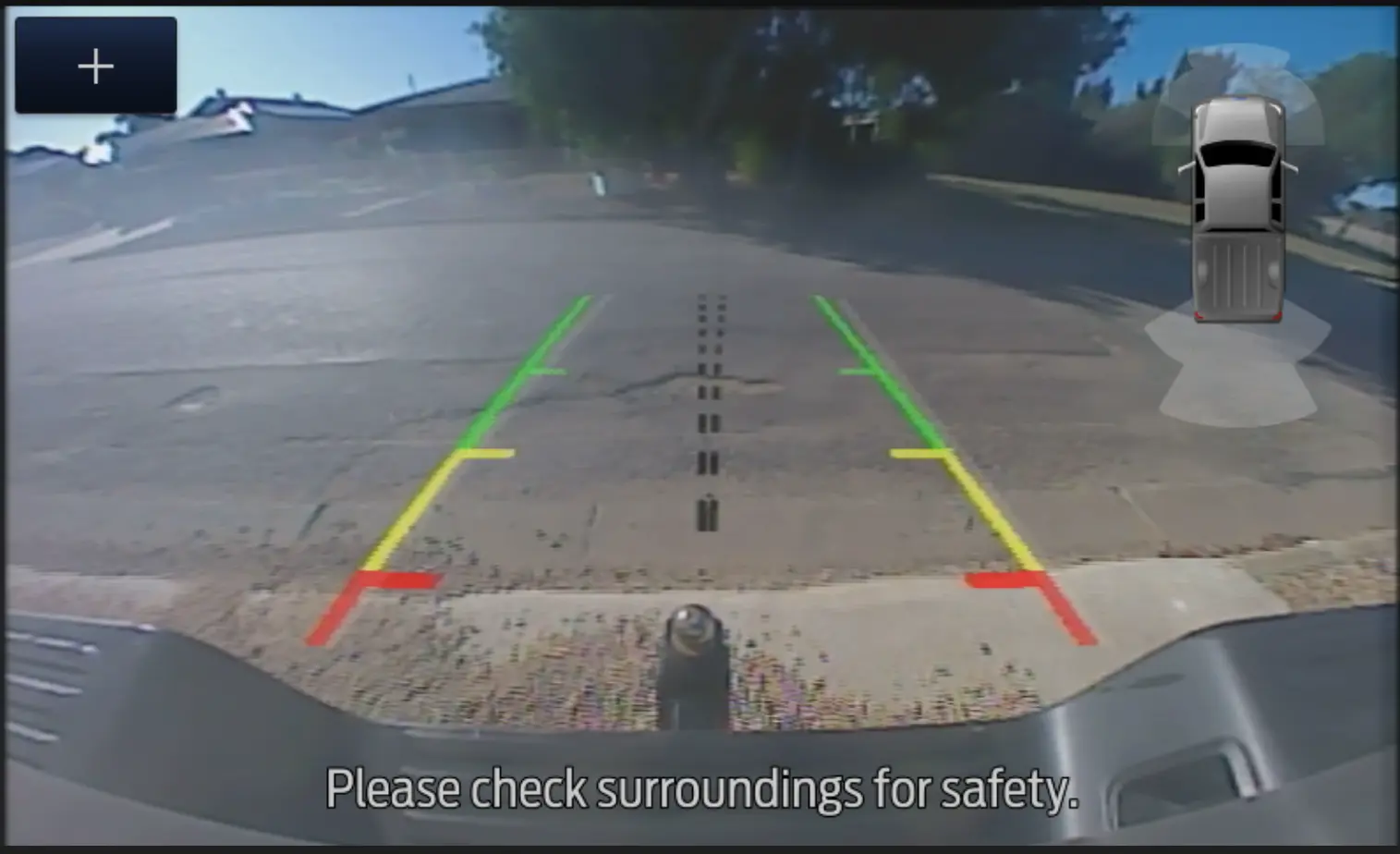
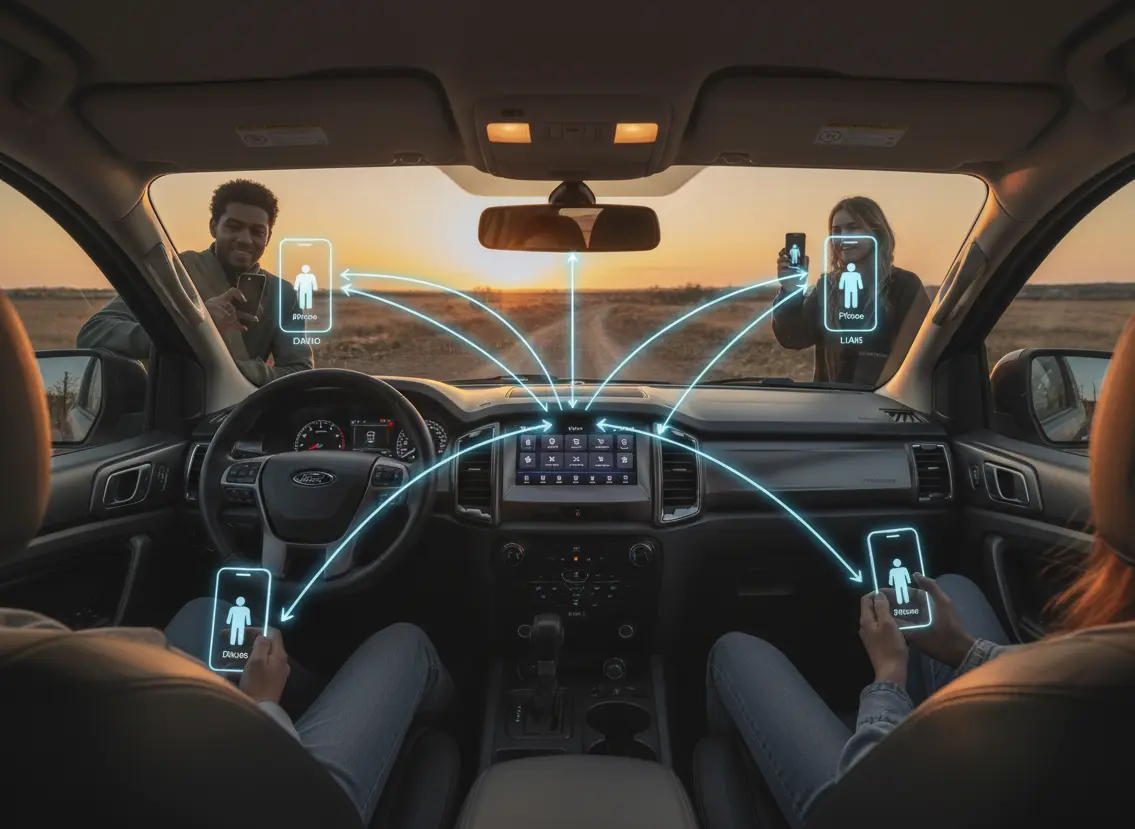
Of particular interest were several image files that persisted even after performing a “factory reset.” These appear to be screenshots or captured frames from the head unit itself. While we have not attempted to determine their purpose or origin, their mere presence is significant.
Among these were images such as:
- Rear view camera captures:

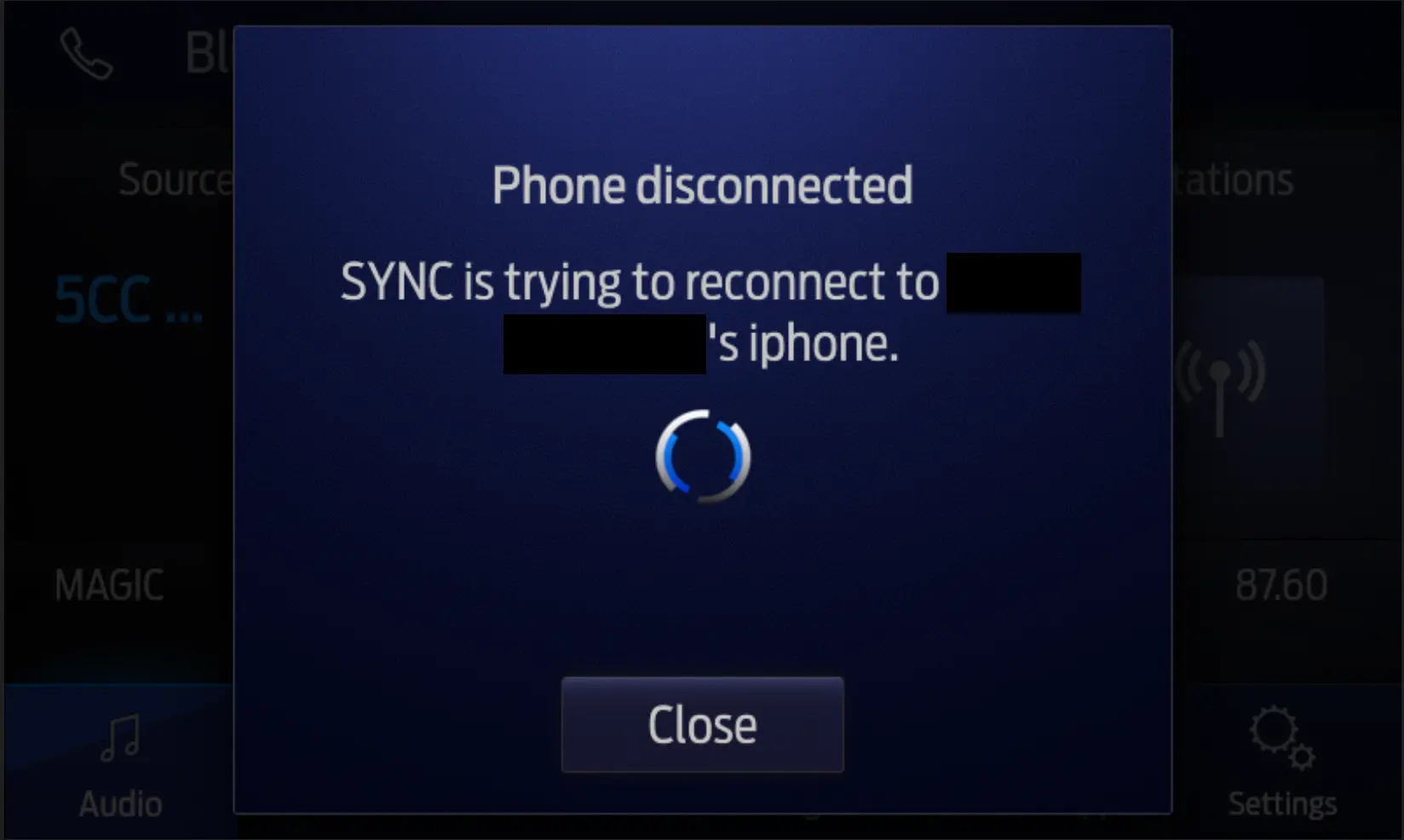
- A screen image displaying the primary owner’s phone actively connecting to the head unit:
Although we have not conducted a full analysis of these files, their presence provides further evidence of the incomplete nature of the reset process.
Conclusion
Our findings make one point clear, the SYNC® 3 factory reset falls well short of providing a true data purge.
While it removes the limited set of information visible through the user interface, it leaves behind a substantial and revealing amount of operational logs, location artefacts, device identifiers, and personal data. This residual information is more than enough to reconstruct patterns of behaviour, travel history, and the users’ phone interactions.
For everyday owners, this represents an unexpected (and largely invisible) privacy exposure. For shared, rented, corporate, or fleet vehicles, the implications are even more significant, raising questions about data handling practices, informed consent, and the adequacy of current “reset” mechanisms to protect individuals’ personal information.
For connected vehicles, this also raises additional questions on what is data is transferred to and kept by vehicle manufacturers (and for what purpose). Considering some personal information was found in what might be considered “system logs”, it also begs the question:
- Does a vehicle manufacturer consider this information system/vehicle logs? Or is it treated more like personal information?
This answer might have implications on how manufacturers treat this information. Without being able to peek into the manufacturer’s data archives, this is not a question that is easily answered.
Ultimately, our analysis highlights a clear gap between what is a reasonable expectation should mean and the actual behaviour of the system.
Fortify Labs Github Repository
All Python scripts generated and used in this post are available in our Fortify Labs Automotive Forensics Github repository in the ford-sync folder.
Disclaimer
This analysis is based on our professional experience and represents our best interpretation of the available log entries. It should not be considered definitive evidence for legal proceedings without independent verification of the data and validation of any assumptions made during the analysis.
We have made every attempt to obfuscate any information that could reveal any information that could help identify the previous owner(s) or their devices.
In the interest of brevity, the screenshots included do not reflect all the files or folders that exist on the head unit’s filesystem. We have made every attempt to include the locations and files that we used in our analysis.